Think of WordPress as a body.
For years, it came with its own head – the frontend you saw in a browser.
Simple, right?
But times changed. Businesses wanted faster sites, developers wanted apps that could talk to each other, and content needed to live everywhere – from phones to smart devices to wearables.
That’s where Headless WordPress comes in. You keep the body (the backend and content management) but choose your own head – maybe a sleek React app, a Next.js site, or even a mobile app. But here’s the catch: the body and the head need a messenger.
In WordPress, there are two messengers: GraphQL vs REST API. Both can carry content from the backend to wherever you want it. But which one is smarter, faster, and ready for the future?
That’s the journey we’re about to take: GraphQL vs REST API in WordPress – Which One Powers Headless Better?
Decoupled WordPress Architecture: Why APIs Are the Heart of It?
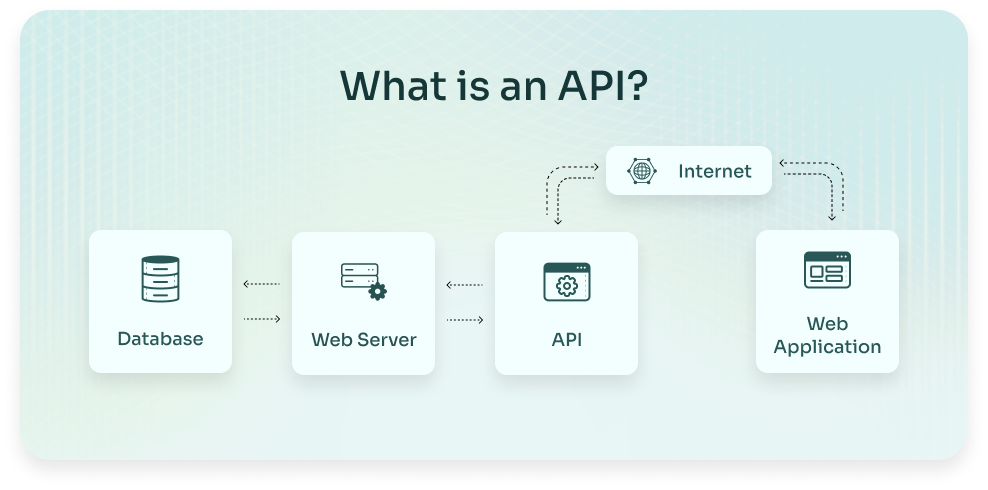
When people talk about going headless with WordPress, they’re really talking about decoupled architecture. This means separating the content management system (the backend) from the presentation layer (the frontend).
- The backend (WordPress): This is where editors, marketers, and content creators do their thing – writing posts, managing media, organizing taxonomies, etc.
- The frontend (React, Vue, Next.js, or any other): This is what the user sees and interacts with, optimized for speed, design, and performance.
The two sides need to communicate, and that’s done through an API.
- WordPress REST API: Ships with WordPress core. It gives you structured JSON data via endpoints like /wp-json/wp/v2/posts.
- WordPress GraphQL (via WPGraphQL plugin): Provides a query language that lets you ask for exactly the data you want in a single request.
This is why your choice of API isn’t just a technical detail. It shapes the entire performance, flexibility, and maintainability of your headless project.
REST API in WordPress: Advantages and Limitations
The REST API in WordPress has been around for years and is the default way many developers interact with WordPress programmatically.
It’s reliable, familiar, and doesn’t require extra plugins to get started.
Advantages of WordPress REST API
- Built-in and ready to go: No setup, no plugin. Just start fetching JSON.
- Easy learning curve: REST is a standard across web development, so most developers understand it.
- Testing and debugging is simple: Paste an endpoint into your browser or Postman, and you instantly see the data.
- Great for smaller projects: Perfect if you just need to expose posts, pages, or simple content to another system.
REST API Limitations in WordPress
However, as soon as you move into headless territory, where performance and flexibility matter, the REST API starts to show cracks:
- Over-fetching data: You often get a huge payload when you only need two fields.
- Under-fetching data: Sometimes you don’t get enough and need multiple calls to stitch together the full dataset.
- Performance issues: Multiple endpoints mean more round-trips and slower performance on the frontend.
- Limited flexibility: REST endpoints are predefined. Customizing them for complex content structures can be cumbersome.
This is why many developers working on decoupled WordPress architecture look for a smarter alternative.
Benefits of GraphQL in WordPress for Headless Projects
Enter GraphQL – a query language that flips the script on how you fetch data. Instead of being forced to take whatever a REST endpoint gives you, you ask for exactly what you want and get it in one shot.
With the WPGraphQL plugin, WordPress developers can bring this power into their projects.
Why GraphQL Powers Headless WordPress Better!
- Exact data, no bloat: Fetch only the fields you need (say, post title and featured image) and nothing else.
- Single endpoint: Instead of dozens of endpoints, you have just one: /graphql.
- Nested queries: Perfect for pulling related content, like posts with authors, categories, and custom fields, all in one go.
- Better for modern frontends: Frameworks like Gatsby and Next.js are built to work seamlessly with GraphQL.
- Performance boost: Fewer requests, smaller payloads, faster frontends.
For developers setting up WPGraphQL headless integration, it often feels like moving from a flip phone to a smartphone. Once you’ve used it, REST feels clunky for anything beyond basic use cases.
WordPress GraphQL Integration: How to Get Started?
If you’re curious about how this actually works in practice, here’s the typical flow for a WordPress GraphQL integration:
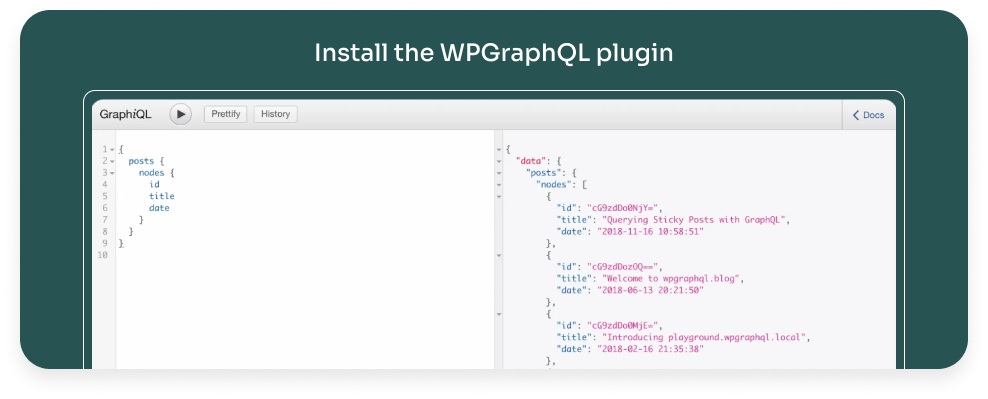
1. Install the WPGraphQL plugin: This exposes the /graphql endpoint.
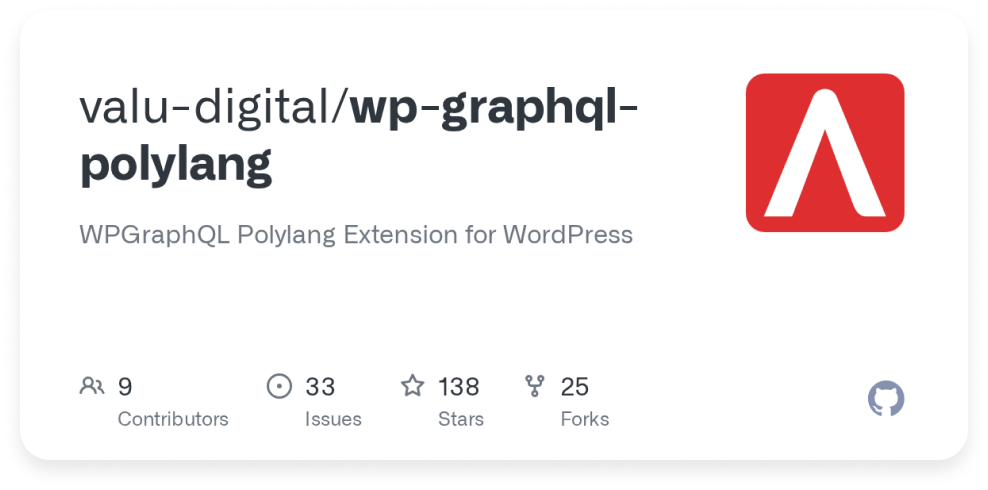
2. Add WPGraphQL extensions: Tools like WPGraphQL for ACF allow you to expose Advanced Custom Fields data through GraphQL.
3. Connect to your frontend: Use Apollo Client, Relay, or even Gatsby’s built-in GraphQL layer to consume the data.
4. Query what you need: For example, fetch post titles, custom fields, and author bios in a single query.
This setup means your headless frontend can be lightning fast, flexible, and much easier to scale as content models evolve.
REST API vs GraphQL in WordPress: A Side-by-Side Comparison
Here’s a quick snapshot of how the two compare when it comes to Headless WordPress:
| Feature | WordPress REST API | WordPress GraphQL (WPGraphQL) |
|---|---|---|
| Setup | Built into WordPress core | Requires WPGraphQL plugin |
| Data Fetching | Multiple endpoints, fixed payloads | Single endpoint, customizable queries |
| Over/Under Fetching | Common issue | Avoided – get exactly what you need |
| Performance | Multiple round-trip | One query, less overhead |
| Custom Content | Requires custom endpoints | Easily queried with schema extensions |
| Frontend Compatibility | Works, but less efficient | Optimized for React, Next.js, Gatsby |
| Best For | Simple integrations, small projects | Complex, scalable headless builds |
API Strategy for Headless WordPress: Which Path to Choose?
So when it comes to an API strategy for headless WordPress, how do you decide?
- If you’re building something lightweight (like a small app that just needs a few posts), the REST API is perfectly fine.
- If you’re working on a content-heavy, enterprise-grade project, GraphQL gives you the precision and scalability you’ll need.
- Many teams even use a hybrid approach: REST API for quick integrations, and WPGraphQL headless integration for the performance-critical frontend.
The key is to map your content model and traffic requirements first. Then choose the API that aligns with your project goals.
Real-World Use Cases: REST API vs GraphQL in WordPress
To make this more concrete, let’s look at some scenarios.
REST API works well when:
- You’re feeding content into a mobile app.
- You need simple JSON data for another system (like a CRM or third-party tool).
- You’re running a blog with minimal custom fields.
GraphQL shines when:
- You’re building a complex marketing site with custom post types and ACF fields.
- You’re using Gatsby or Next.js for static site generation.
- You care deeply about frontend performance and SEO.
- You need to query relationships – e.g., posts with categories, authors, related content – without multiple calls.
This is why the benefits of GraphQL in WordPress aren’t just technical – they’re strategic for brands competing in performance-driven markets.
REST API vs GraphQL in WordPress: Developer Experience
We can’t talk about APIs without mentioning developer experience. After all, happy developers build better products.
- With the REST API, developers spend a lot of time managing multiple requests, filtering large payloads, and combining datasets.
- With WordPress GraphQL, developers spend more time building features because queries deliver exactly what’s needed.
In other words: REST gets the job done, but GraphQL makes the job enjoyable.
REST API vs GraphQL in WordPress: The Verdict
If we circle back to the big question, which one powers headless better? – Here’s the answer:
- REST API is fine for quick wins and simple projects.
- GraphQL is the clear choice for serious, future-ready decoupled WordPress architecture.
The REST API may have opened the door, but GraphQL is what allows WordPress to compete with modern CMS platforms in a headless world.
Conclusion: Future-Proofing Your Headless WordPress
The conversation around GraphQL vs REST API in WordPress isn’t just about technical preference. It’s about building the right foundation for performance, scalability, and flexibility.
The REST API remains useful and reliable, but its limitations make it less than ideal for complex headless builds. Meanwhile, WordPress GraphQL integration through WPGraphQL empowers developers to query smarter, reduce bloat, and create faster digital experiences.
When defining your API strategy for headless WordPress, think about the scale of your project, the complexity of your content, and the expectations of your audience. For brands that care about speed and flexibility, WPGraphQL headless integration is quickly becoming the default choice.
At the end of the day, it’s not about ditching one for the other – it’s about choosing the right tool for the right job.
But if you’re aiming for performance-driven, future-ready headless WordPress architecture, GraphQL isn’t just better. It’s essential.